
Reachy Mini app · printable deck included
Thirty printed dinosaurs. One robot that bluffs.
A dinosaur stat-comparison card game for kids of about six and up, played with real cards you print yourself. Hold a card up to Reachy's face, call a stat, and find out whose Triceratops was worth arguing about.
Reachy deals itself a hand it genuinely knows the numbers for. It gloats, it sulks, and about one call in five it sounds extremely confident about a stat it isn't actually best at.

Three parts, and none of them needs you to be a computer person.
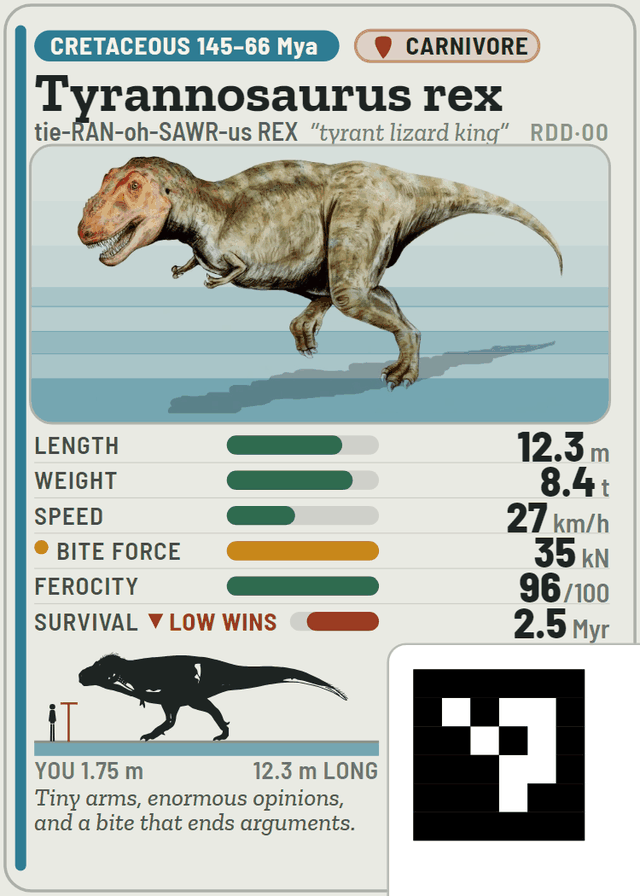
Nine pages of A4 or Letter, at 100% scale. Cut on the grey lines. Every card carries a 17 mm marker in the corner, which is the bit Reachy's camera is actually looking at.
It deals itself seven or fifteen virtual cards and knows every number on them. It never sees your hand, which is what makes the bluffing honest — it projects confidence, it never lies about a value.
Reachy's card has no physical flip, so the scoreboard does it. Every line it says appears there too, so the silent option is a real way to play rather than a consolation prize.
Reachy needs a voice, and you choose which. An OpenAI API key (best voice and best listening, billed to your own account); the offline voice (free, no internet, but you have to install speech models yourself); or type-and-read, where Reachy stays quiet and its lines appear on the page. The setup screen tells you honestly which of the three are actually working on your machine.
Easiest route: open the app store in your Reachy Mini dashboard and install Reachy Dino Duel from the list. Or send it straight there from here — the dashboard has to be running on this machine or reachable from it.
curl -X POST http://localhost:8000/api/apps/install \
  -H "Content-Type: application/json" \
  -d '{"url": "https://huggingface.co/spaces/EryriLabs/reachy_dino_duel", "name": "reachy_dino_duel"}'
http://localhost:8047
on the robot itself, or http://reachy-mini.local:8047 from a
tablet on the same network.
No robot yet? The whole game plays in a terminal with no
robot, no camera and no microphone: python -m reachy_dino_duel --cli --quick.
Add --webcam 0 to use the printed cards with a laptop camera.
Full instructions are in the README.
Reachy has a tell. It's physical, it's small, it happens before it speaks, and it's the same every single time. Nothing in the dialogue mentions it and nothing appears on the scoreboard. Observant children work it out in the second or third game, and then they're reading a robot's body language across a kitchen table, which beats most of what a screen has to offer.
It's written down in the README. Read that bit on your own.